Open BIM Studio
Native BIM modelling, parametric components and model-based drawings, built on its own CAD kernel in DynLex. An OpenAEC Foundation application.
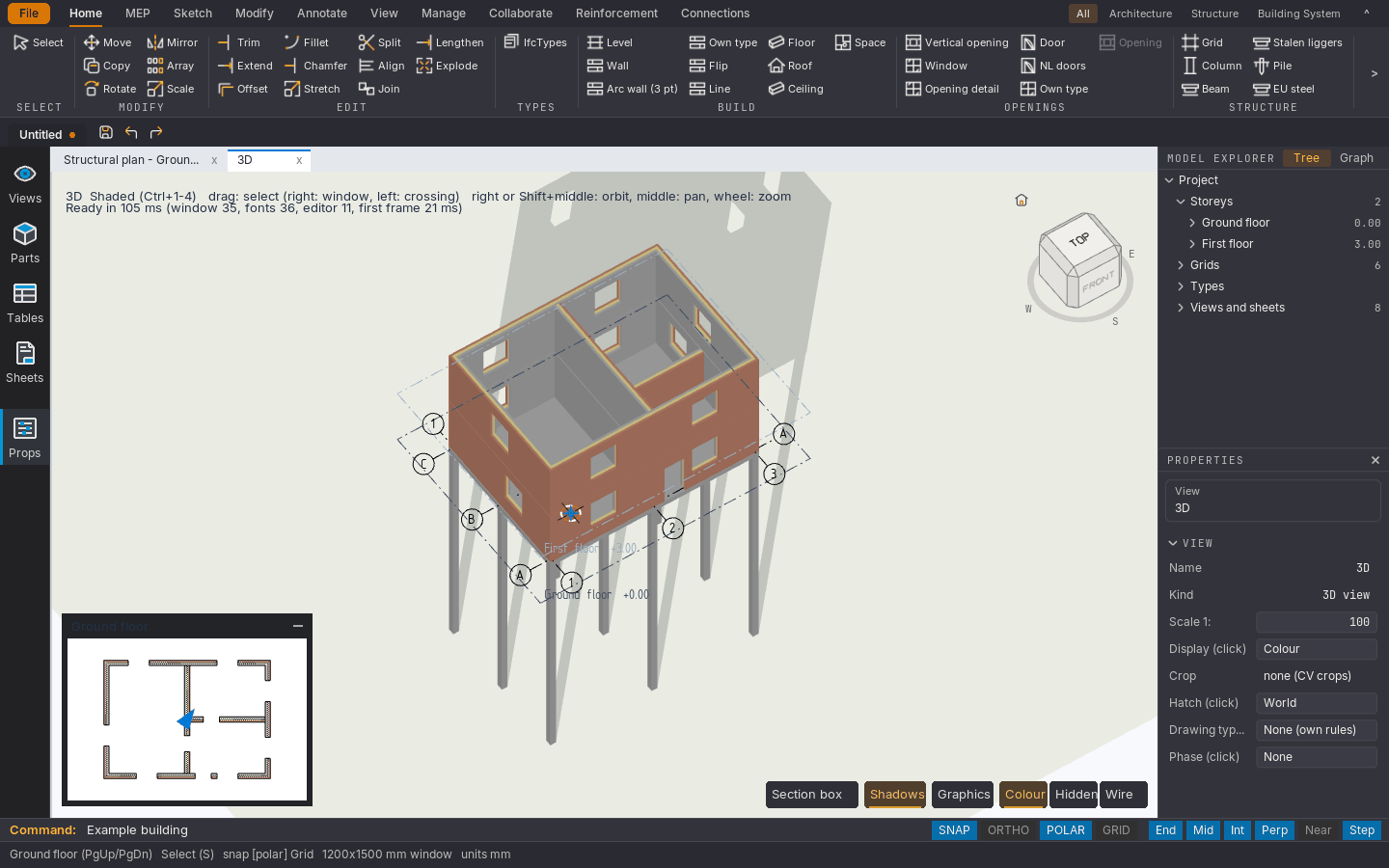
What it does
Model
Walls, floors, roofs, columns, beams, piles, reinforcement and steel connections, with layered assemblies and parametric components.
Inspect
Work in 2D and 3D: draw from the Home tab, drag grips with Select, switch to the 3D tab, open elevations and quantity schedules.
Document
Develop plans, elevations, schedules and sheets from the same model — the drawings are model-based, not redrawn.
Own kernel
The application and its CAD kernel are written in DynLex, a language developed alongside the project (MPL-2.0 licensed source).
Download development preview
Open BIM Studio runs as a native desktop application — a Vulkan/GLFW interface on Linux, with a Windows port in the repository. There is no web build: to use the app, install the preview on your computer.
After installing the Linux preview, start it with the example building:
~/.local/bin/open-bim-studio --example
Development preview: main is the shared development baseline, not a production
release. Features and file formats are still evolving; a successful compiler build does not establish
that every modelling workflow has been tested.
About this site
This domain self-hosts a mirror of the Open BIM Studio source code at stevenlimo20123/openbimstudio (all branches and tags, kept in sync with the official repository). Since the application itself is a native desktop program, this page is its landing site: overview, screenshots and download links.